Being born in 1987 and having witnessed the beginning of the “internet era” in Romania, I was always attracted by computers, technology, networks and in the end by the idea of owning a server and self-hosting different applications. My first home server was a self-built one, based on an ASRock C70M1 ITX motherboard, with 2GB of RAM and one MD Raid0 array (2x320GB 3.5inch HDDs), running OpenMediaVault 0.5 “Sardaukar” and acting as a media server / download box – it was dead silent and it served me well between 2013 and 2016, reaching at some point an up-time of ~550 days and being restarted just for updating the operating system.
I don’t recall reaching the limits of the AMD C-70 APU, running at the whooping frequency of 1GHz, and scoring 350 points in PassMark at most – initially there were some issues with the Samba transfer speeds, but I managed to solve those by using a back-ported kernel and by dropping EXT3 in favor of XFS, reaching the theoretical throughput of the gigabit NIC. The limiting factor was the number of disks that I could install in my tiny ITX case, and at that point in time changing the case didn’t make much sense as I managed to buy a brand new HPe Microserver Gen8 for arount 180EUR (799.99RON), back in 2016, during Black Friday – and this brings us to our topic for today.
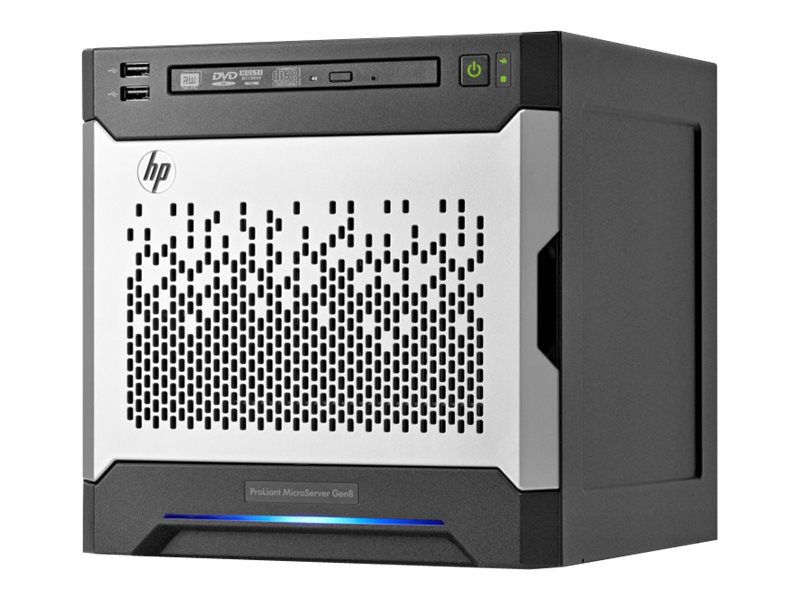
After almost 8 years, and some upgrades along the way, my beloved Microserver Gen8 is still alive and doing a great job hosting my media files, backups, docker containers, HomeAssistant, and more. My main concern at this point is that I’ll never find a device that checks all the boxes in the way the Gen8 did – but I might be a little subjective here.
Going forward, let’s look at the components one by one, and along the way I’ll share upgrade options and my findings or workarounds for certain limitations.
CPU
Usually, these units come with one of the following CPUs: Intel Celeron G1610T (2.3 GHz, dual-core) / Intel Pentium G2020T (2.5 GHz, dual-core) / Intel Core i3-3220T (2.8 GHz, dual-core) / Intel Xeon E3-1220L v2 (2.3 GHz, quad-core). One of the best upgrades is the Intel Xeon E3-1265L V2 @ 2.50GHz – this is a 45W TDP CPU which won’t overheat with the 35W TDP heatsink which comes with lower spec Gen8 versions.
Cooling
These units come with a single 120mm PWM fan (with a proprietary connector) and are equipped with either a 35w TDP CPU heatsink (Part No. 724983-001) or with a 55w TDP CPU heatsink (Part No. 832667-001) – there are custom mount points, so retrofitting an aftermarket active cooler requires physical modification of the mounts (some have managed to retrofit a Noctua cooler), but in case you are not going over 45W-55W TDP, you can live with the 35W TDP rated heatsink.
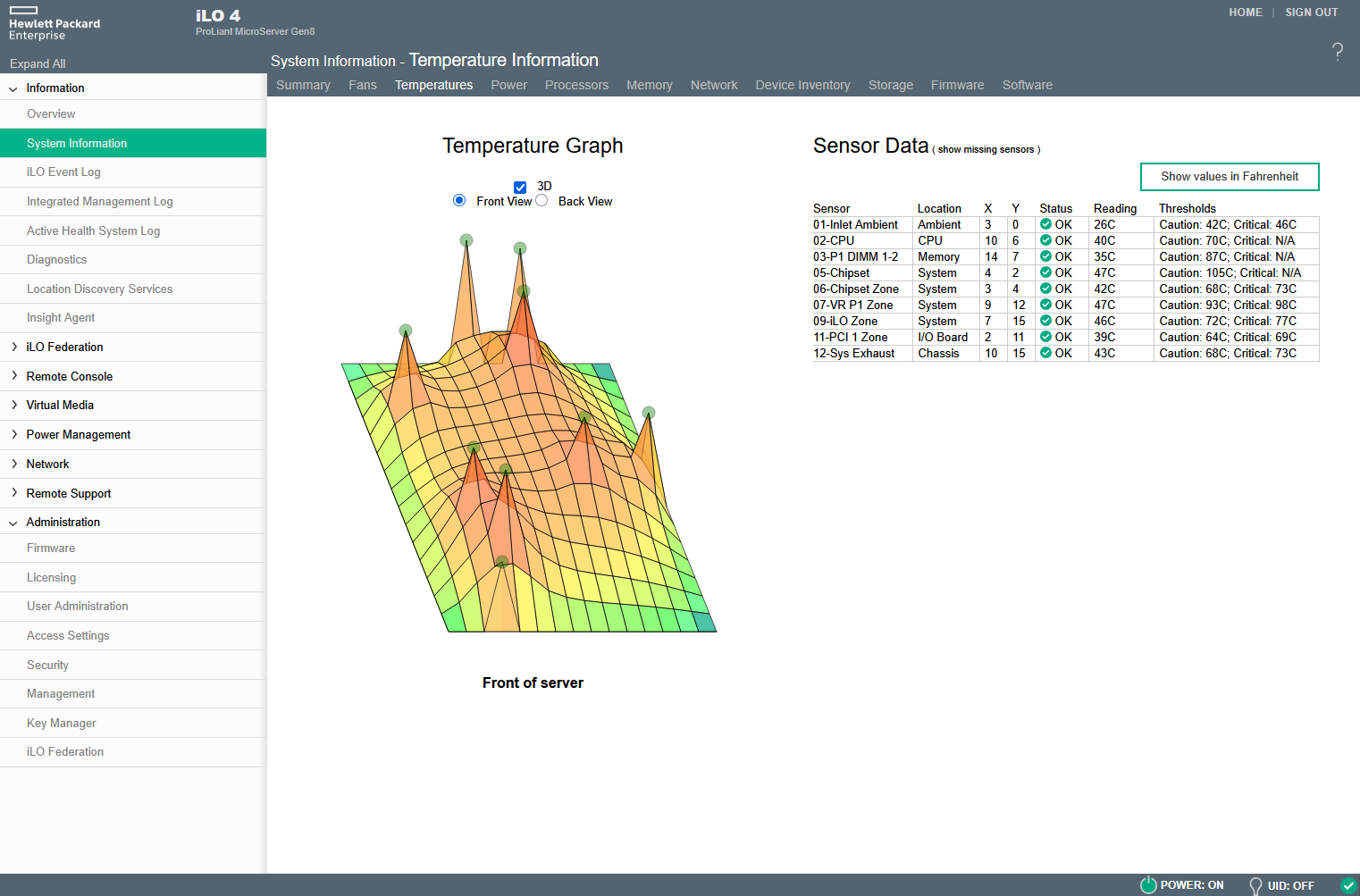
I initially upgraded my Celeron G1610T to a 55W Intel Core i3-3240T and afterwards I managed to source a 45W Xeon E3-1265L v2 – I never encountered overheating issues, despite hosting my server in a very confined space, together with my UPS, GPON ONT, router, switch, cable amplifier, etc.
Memory
Back in the day, the lower spec versions of the server were delivered with 4GB of RAM, populating one of the two available slots. If you want more RAM, you need two 8GB DDR3 UDIMM ECC Unregistered modules / the chipset supports a maximum capacity of 16GB (the server won’t boot with non-ECC memory). One of the dumbest things I could have done was not maxing out the RAM – I am now relentlessly looking for two 8GB HPe Smart Memory modules which are somewhere in between of crazy expensive and nowhere to be found.
Power Supply
Depending on the location you bought your Microserver Gen8, this was delievered with PSU versions: 200W (EU) / 150W (US) – in case it breaks, it can be easily replaced with any Flex ATX PSU. Mine came with a Delta Electronics DPS-200PB-189A 80PLUS PSU (85% efficiency).
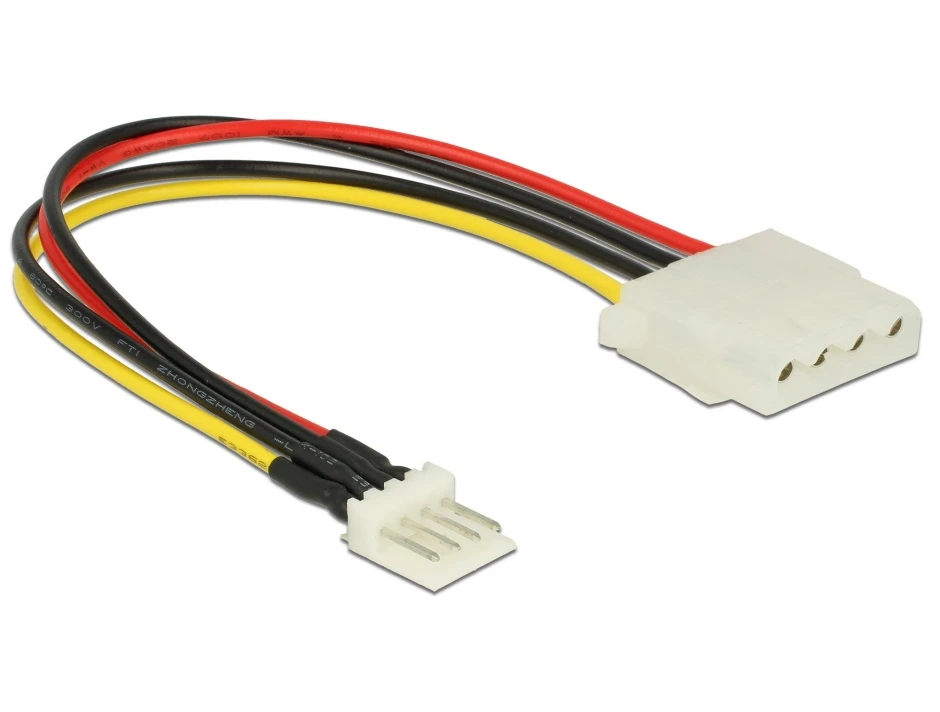
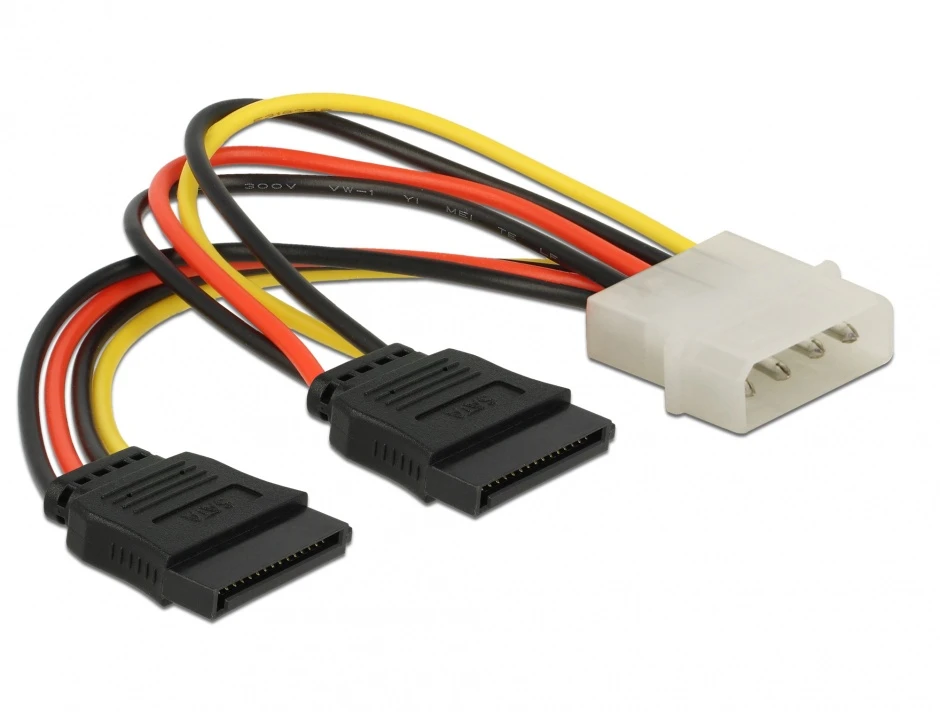
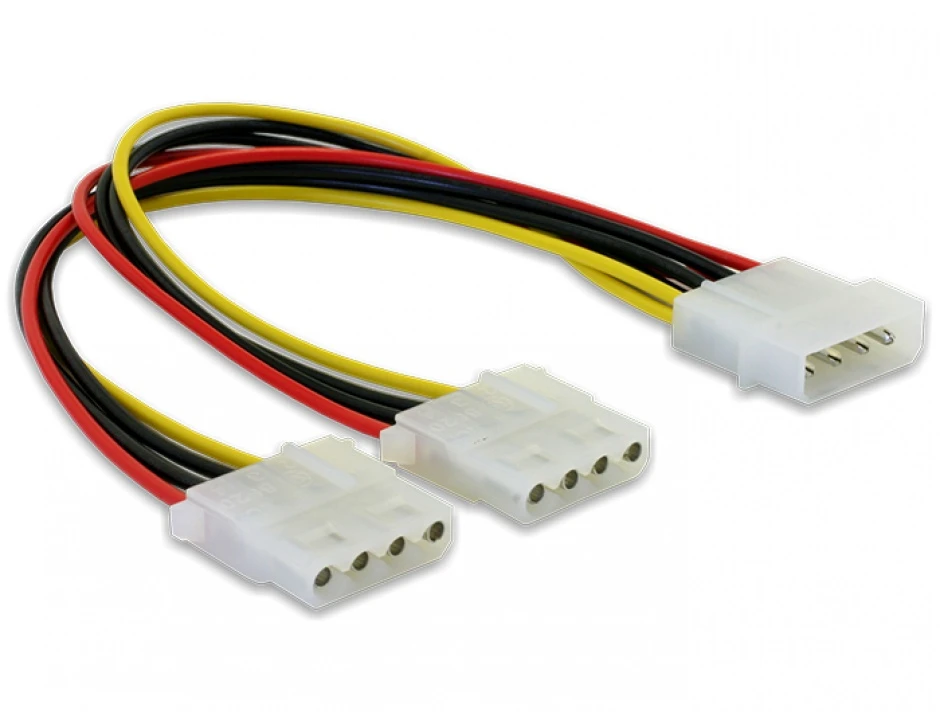
Besides of the 4-pin Molex connector (LP4) which powers the HDD backplane, there’s only one additional female Mini-Molex connector available in the ODD area which can be used to power additional SSDs / HDDs and cooling fans. You only need a little bit of imagination, some adapters and soldering skills. The Molex powering the backplane can also be multiplied, but always keep in mind the maximum power of the PSU.
- Delock 85456 – mini Molex male (floppy) to Molex 4 pin female
- Delock 60102 – 4 pin male Molex to 2 x 8 pin SATA
- Delock 82100 – Y-Cable, 4 pin male Molex to 2 x 4 pin female Molex
Remote management
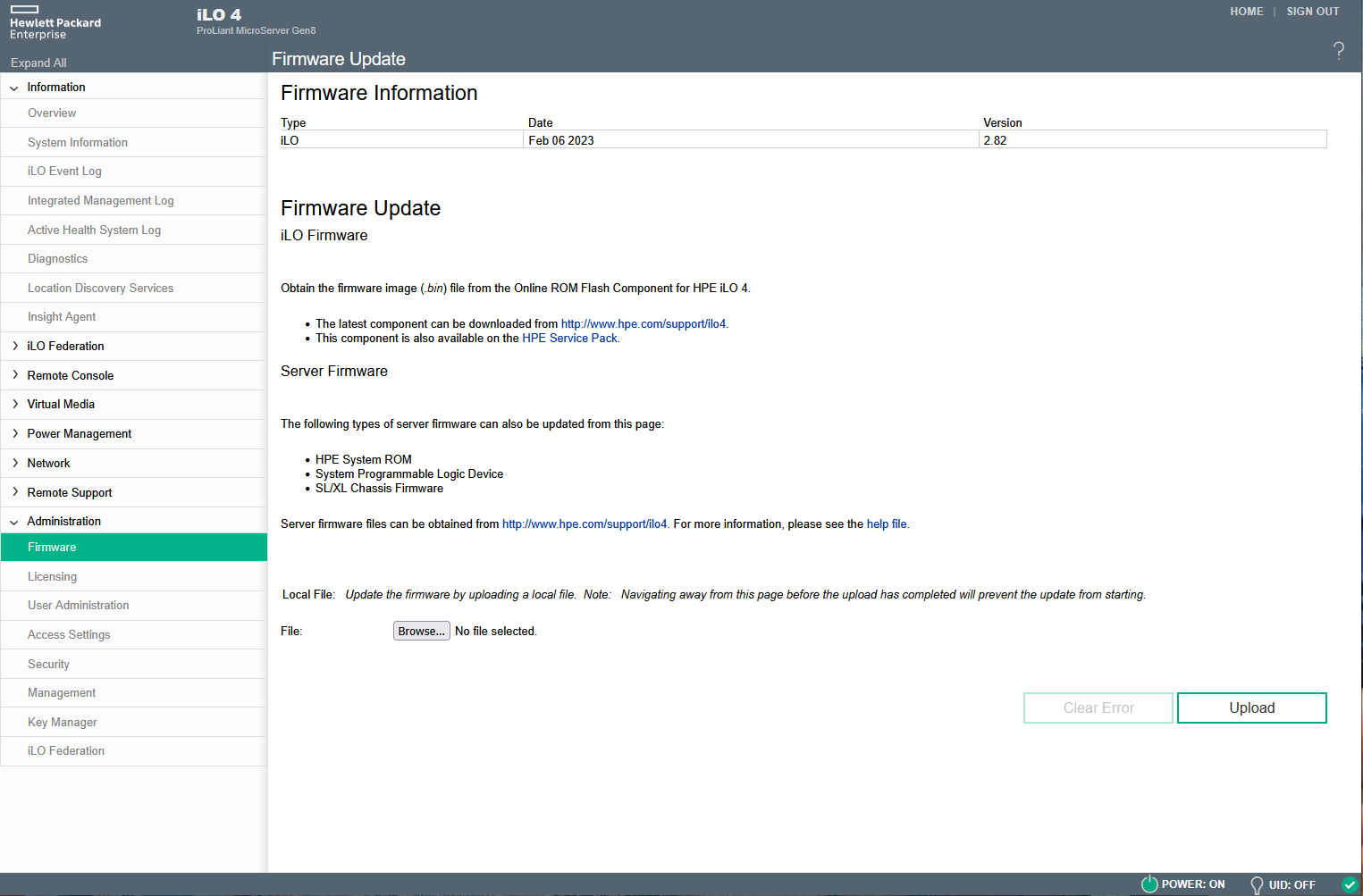
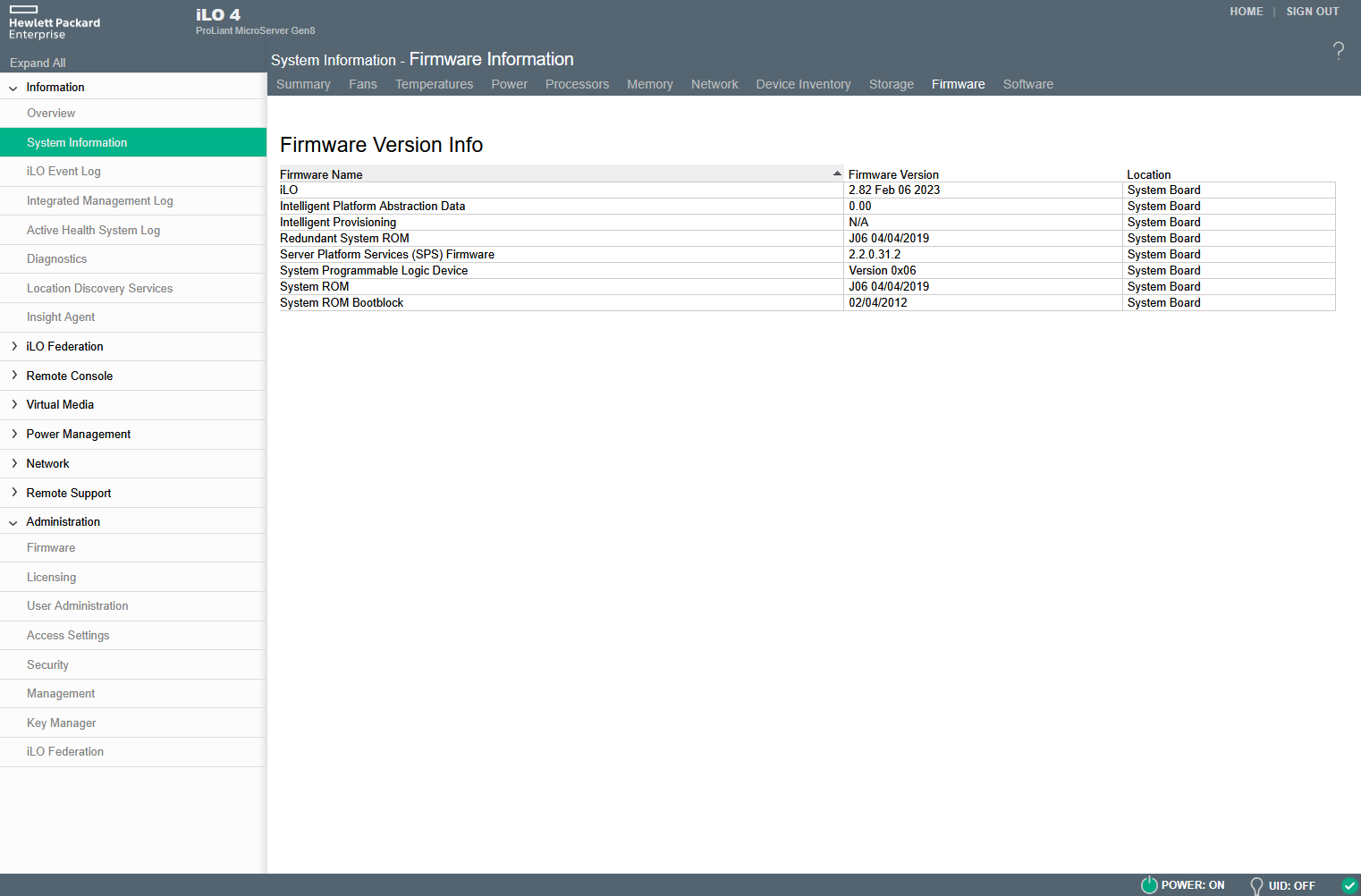
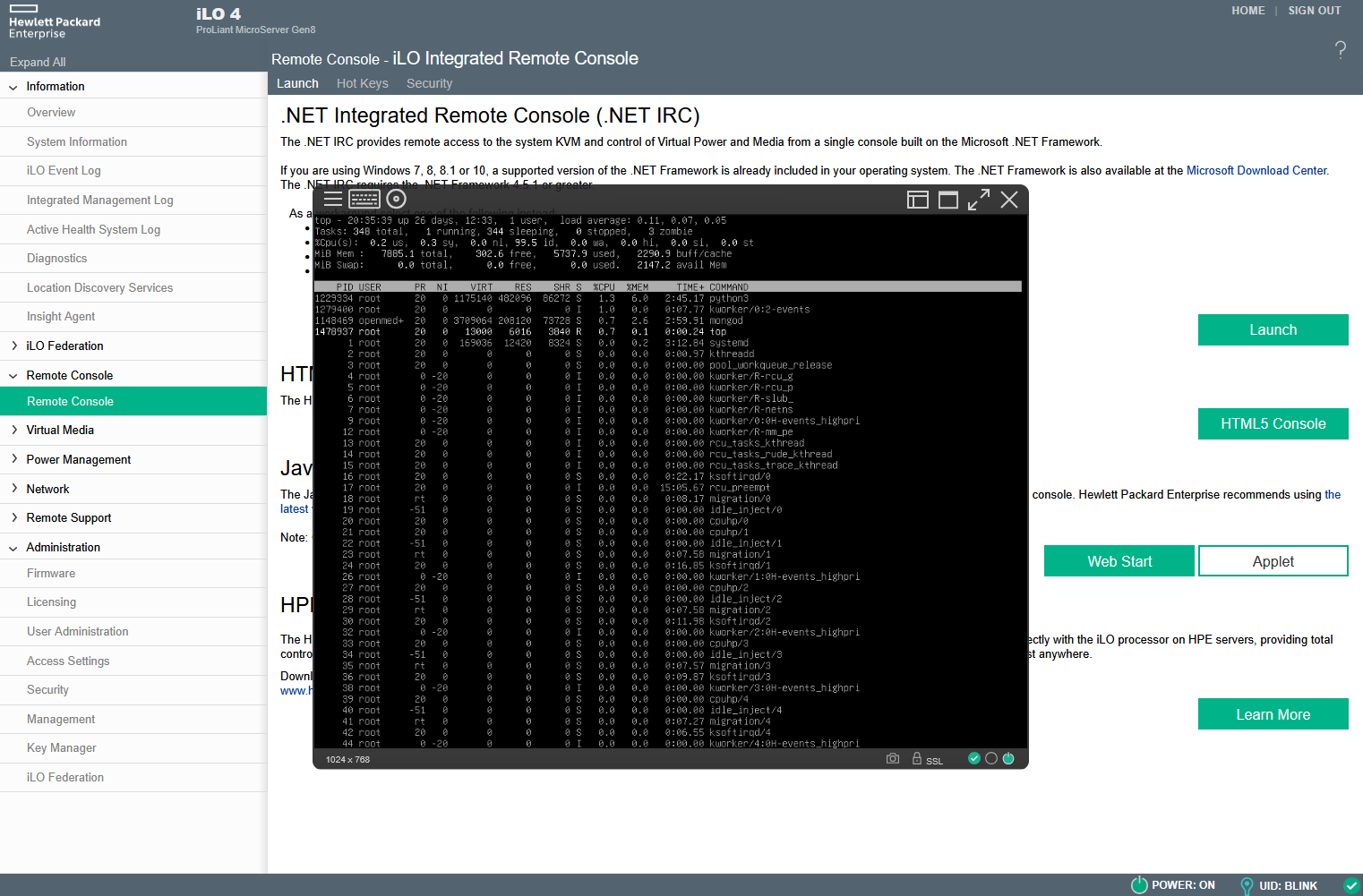
A very useful feature of this tiny server is the iLO 4 Advanced out-of-band management. Latest version is iLO4 v2.82 / 06-Feb-2023 and it is strongly recommended to keep the iLO firmware up-to-date, because in the past there were some bugs which generated unnecessary wear of the Flash NAND, rendering iLO unusable. If you encountered this issue, you can try reformatting the Flash NAND or ugrading the firmware via Telnet, but this doesn’t always solve the issue, so you might need to physically replace the NAND chip. In this case you’ll need a spare chip (SKhynix H26M31001HPR), a hot air soldering station and a lot of skill. What I found disturbing is that HPe doesn’t mention this bug in their release notes.
The latest iLO firmware can be downloaded from here – in order to obtain the ilo4_282.bin file, you should extract CP053894.scexe with 7zip and then do this all over again with the “scexe_tmp19058” file. Afterwards, you can use the binary to update your firmware through iLO (Administration > Firmware). If you are here already, it would also be a good idea to update the BIOS using the same extraction method to obtain the “CPQJ0613.684” binary – download link.
Storage
One of the not that great things about Microserver Gen8 is the storage controller – HP Dynamic Smart Array B120i Controller with 4 x 3.5inch removable (but not hot-swappable) front bays and one ODD bay which can be easily used for a system SSD. From the 5 SATA ports, only two are SATA3, and the rest are SATA 2.
By default, the server wants you to use the first bay for the system disk, but there are ways overcome this limitation. The B120i controller supports 3 modes:
- RAID mode (I would suggest avoiding this mode as this is not a true hardware raid controller and you always have the means of seting RAID arrays in software – MD / ZFS / BtrFS Raid in Linux or Software Raid in Windows)
- AHCI mode (it would be best in case HPe wouldn’t have decided to not let us boot from the ODD bay in this mode)
- Legacy mode – this is the only mode that allows us to use the controller as an HBA, passing the disks to the operating system and also booting from the ODD bay.
The legacy mode is also what I settled for until I bought a Dell Perc H310 controller which I cross-flashed with the LSI IT mode firmware, transforming this card in an LSI HBA with 2 Mini SAS SFF-8087 connectors supporting up to 8 SATA or 32 SAS hard disk.. You can simply move the cable coming from the front bays to the H310 and you can forget about the limitations described above. Some people successfully used these cards without additional cooling, but my opinion is that these cards are running way too hot with the limited airflow in the Microserver case – a 40mm fan would solve this issue.
Depending on your handyman skills, you could install up to four additional 2.5inch HDDs monted on the power supply with a 3d printed bracket and two thin 2.5 SATA SSDs in the ODD bay.
You can also opt for an LSI HBA with 1 internal Mini SAS SFF-8087 and one external SFF-8088 which would allow you to also connect an external DAS (Direct Attached Storage), overcoming the physical limitations of the Microserver Gen8 case.
Networking
HP Ethernet 1Gb 2-port 332i Adapter (Broadcom BCM5720 based). The NICs are working great in Linux (Debian) – never tested those in BSD, however, heard of people using those on FreeBSD with TrueNAS Core without issues. The server also features a dedicated iLO port for total segregation of the out-of-band management traffic.
Other Expansion Options
- 1 x Low Profile PCIe 2.0 16x slot
- 1 x Internal Micro SD slot (not a hot-pluggable device)
- 5 x USB 2.0 Ports (2 front, 2 rear, 1 internal)
- 2 USB 3.0 Ports (rear) (functional only after OS boot)
Bezels / Faceplates
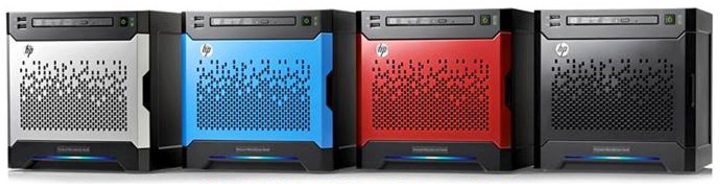
In case you own multiple Gen8 Microservers, and you would like to differentiate them by other means rather than hostname, there was an original HPe Front Bezel Faceplate Kit, which included 3 additional faceplates (Blue, Red and Black). Its product number is 722320-B21 – I wish you good luck finding one available these days!
Resources:
- Datasheet: https://h20427.www2.hpe.com/pdf/HP_ProLiant_MicroServer_Gen8_quicspec.pdf
- Maintenance and Service Guide: https://dn790004.ca.archive.org/0/items/manualzilla-id-5910566/5910566.pdf
- iLO Firmware: https://downloads.hpe.com/pub/softlib2/software1/sc-linux-fw-ilo/p192122427/v218149/CP053894.scexe
- BIOS: https://support.hpe.com/connect/s/softwaredetails?language=en_US&collectionId=MTX-eae7977347ce448c&tab=revisionHistory
Conclusions
I am writing an article in 2024 about a server that I bought in 2016, and which was launched by HPe back in 2013 – 11 years after, even if this little device is far from being cutting edge, it still performs great as a home server / media server.
Seven versions later, I am still running OpenMediaVault, and my unit hosts 2 x 20TB Toshiba MG10ACA20TE in a ZFS Mirror, 2 x 3TB Western Digital RED WD30EFRX in another ZFS Mirror, 1 x 512GB Kingston SATA SSD for Docker, 2 x 500GB 2.5inch Toshiba disks in RAID0 for Downloads. I use docker for DuckDNS, WireGuard, HomeAssistant, Mosquitto, UnifiNetworkApplication, etc.
In my view, the HPe Proliant MicroServer Gen8 started the whole home lab, NAS and self-hosting trend as many of us started our journey this way. Unfortunately for now there’s no option that checks so many boxes as this one does, and even if the MicroServer Gen11 could be one option, its price is 5 times higher than our tiny toy back in the day.
My advise? If you can’t afford a Gen11 unit, buy a used Gen8 – update it, upgrade it, and get the most out of it. This is enterprise grade hardware, extremely reliable, it has ECC memory, enough real estate for storage, and out of band management through iLO. From this point onward, there’s no turning back to consumer grate options.

